083f4e0371
Bumps [deepdiff](https://github.com/seperman/deepdiff) from 6.7.1 to 8.6.1. <details> <summary>Release notes</summary> <p><em>Sourced from <a href="https://github.com/seperman/deepdiff/releases">deepdiff's releases</a>.</em></p> <blockquote> <h2>8.5.0</h2> <ul> <li>Updating deprecated pydantic calls</li> <li>Switching to pyproject.toml</li> <li>Fix for moving nested tables when using iterable_compare_func. by</li> <li>Fix recursion depth limit when hashing numpy.datetime64</li> <li>Moving from legacy setuptools use to pyproject.toml</li> </ul> <h2>8.4.1</h2> <ul> <li>pytz is not required.</li> </ul> <h2>8.4.0</h2> <ul> <li>Adding BaseOperatorPlus base class for custom operators</li> <li>default_timezone can be passed now to set your default timezone to something other than UTC.</li> <li>New summarization algorithm that produces valid json</li> <li>Better type hint support</li> </ul> <h2>8.1.1</h2> <p>Adding Python 3.13 to setup.py</p> <h2>8.1.0</h2> <ul> <li>Removing deprecated lines from setup.py</li> <li>Added <code>prefix</code> option to <code>pretty()</code></li> <li>Fixes hashing of numpy boolean values.</li> <li>Fixes <strong>slots</strong> comparison when the attribute doesn't exist.</li> <li>Relaxing orderly-set reqs</li> <li>Added Python 3.13 support</li> <li>Only lower if clean_key is instance of str <a href="https://redirect.github.com/seperman/deepdiff/issues/504">#504</a></li> <li>Fixes issue where the key deep_distance is not returned when both compared items are equal <a href="https://redirect.github.com/seperman/deepdiff/issues/510">#510</a></li> <li>Fixes exclude_paths fails to work in certain cases</li> <li>exclude_paths fails to work <a href="https://redirect.github.com/seperman/deepdiff/issues/509">#509</a></li> <li>Fixes to_json() method chokes on standard json.dumps() kwargs such as sort_keys</li> <li>to_dict() method chokes on standard json.dumps() kwargs <a href="https://redirect.github.com/seperman/deepdiff/issues/490">#490</a></li> <li>Fixes accessing the affected_root_keys property on the diff object returned by DeepDiff fails when one of the dicts is empty</li> <li>Fixes accessing the affected_root_keys property on the diff object returned by DeepDiff fails when one of the dicts is empty <a href="https://redirect.github.com/seperman/deepdiff/issues/508">#508</a></li> </ul> <p>8.0.1 - extra import of numpy is removed</p> <h2>8.0.0</h2> <p>With the introduction of <code>threshold_to_diff_deeper</code>, the values returned are different than in previous versions of DeepDiff. You can still get the older values by setting <code>threshold_to_diff_deeper=0</code>. However to signify that enough has changed in this release that the users need to update the parameters passed to DeepDiff, we will be doing a major version update.</p> <ul> <li><input type="checkbox" checked="" disabled="" /> <code>use_enum_value=True</code> makes it so when diffing enum, we use the enum's value. It makes it so comparing an enum to a string or any other value is not reported as a type change.</li> <li><input type="checkbox" checked="" disabled="" /> <code>threshold_to_diff_deeper=float</code> is a number between 0 and 1. When comparing dictionaries that have a small intersection of keys, we will report the dictionary as a <code>new_value</code> instead of reporting individual keys changed. If you set it to zero, you get the same results as DeepDiff 7.0.1 and earlier, which means this feature is disabled. The new default is 0.33 which means if less that one third of keys between dictionaries intersect, report it as a new object.</li> <li><input type="checkbox" checked="" disabled="" /> Deprecated <code>ordered-set</code> and switched to <code>orderly-set</code>. The <code>ordered-set</code> package was not being maintained anymore and starting Python 3.6, there were better options for sets that ordered. I forked one of the new implementations, modified it, and published it as <code>orderly-set</code>.</li> <li><input type="checkbox" checked="" disabled="" /> Added <code>use_log_scale:bool</code> and <code>log_scale_similarity_threshold:float</code>. They can be used to ignore small changes in numbers by comparing their differences in logarithmic space. This is different than ignoring the difference based on significant digits.</li> <li><input type="checkbox" checked="" disabled="" /> json serialization of reversed lists.</li> <li><input type="checkbox" checked="" disabled="" /> Fix for iterable moved items when <code>iterable_compare_func</code> is used.</li> <li><input type="checkbox" checked="" disabled="" /> Pandas and Polars support.</li> </ul> <h2>7.0.1</h2> <ul> <li><input type="checkbox" checked="" disabled="" /> When verbose=2, return <code>new_path</code> when the <code>path</code> and <code>new_path</code> are different (for example when ignore_order=True and the index of items have changed).</li> </ul> <!-- raw HTML omitted --> </blockquote> <p>... (truncated)</p> </details> <details> <summary>Commits</summary> <ul> <li>See full diff in <a href="https://github.com/seperman/deepdiff/commits">compare view</a></li> </ul> </details> <br /> [](https://docs.github.com/en/github/managing-security-vulnerabilities/about-dependabot-security-updates#about-compatibility-scores) Dependabot will resolve any conflicts with this PR as long as you don't alter it yourself. You can also trigger a rebase manually by commenting `@dependabot rebase`. [//]: # (dependabot-automerge-start) [//]: # (dependabot-automerge-end) --- <details> <summary>Dependabot commands and options</summary> <br /> You can trigger Dependabot actions by commenting on this PR: - `@dependabot rebase` will rebase this PR - `@dependabot recreate` will recreate this PR, overwriting any edits that have been made to it - `@dependabot merge` will merge this PR after your CI passes on it - `@dependabot squash and merge` will squash and merge this PR after your CI passes on it - `@dependabot cancel merge` will cancel a previously requested merge and block automerging - `@dependabot reopen` will reopen this PR if it is closed - `@dependabot close` will close this PR and stop Dependabot recreating it. You can achieve the same result by closing it manually - `@dependabot show <dependency name> ignore conditions` will show all of the ignore conditions of the specified dependency - `@dependabot ignore this major version` will close this PR and stop Dependabot creating any more for this major version (unless you reopen the PR or upgrade to it yourself) - `@dependabot ignore this minor version` will close this PR and stop Dependabot creating any more for this minor version (unless you reopen the PR or upgrade to it yourself) - `@dependabot ignore this dependency` will close this PR and stop Dependabot creating any more for this dependency (unless you reopen the PR or upgrade to it yourself) You can disable automated security fix PRs for this repo from the [Security Alerts page](https://github.com/milvus-io/milvus/network/alerts). </details> Signed-off-by: dependabot[bot] <support@github.com> Co-authored-by: dependabot[bot] <49699333+dependabot[bot]@users.noreply.github.com>







What is Milvus?
🐦 Milvus is a high-performance vector database built for scale. It powers AI applications by efficiently organizing and searching vast amounts of unstructured data, such as text, images, and multi-modal information.
🧑💻 Written in Go and C++, Milvus implements hardware accelaration for CPU/GPU to achieve best-in-class vector search performance. Thanks to its fully-distributed and K8s-native architecture, Milvus can scale horizontally, handle tens of thousands of search queries on billions of vectors, and keep data fresh with real-time streaming updates. Milvus also supports Standalone mode for single machine deployment. Milvus Lite is a lightweight version good for quickstart in python with pip install.
Want to use Milvus with zero setup? Try out Zilliz Cloud ☁️ for free. Milvus is available as a fully managed service on Zilliz Cloud, with Serverless, Dedicated and BYOC options available.
For questions about how to use Milvus, join the community on Discord to get help. For reporting problems, file bugs and feature requests in GitHub Issues or ask in Discussions.
The Milvus open-source project is under LF AI & Data Foundation, distributed with Apache 2.0 License, with Zilliz as its major contributor.
Quickstart
$ pip install -U pymilvus
This installs pymilvus, the Python SDK for Milvus. Use MilvusClient to create a client:
from pymilvus import MilvusClient
-
pymilvusalso includes Milvus Lite for quickstart. To create a local vector database, simply instantiate a client with a local file name for persisting data:client = MilvusClient("milvus_demo.db") -
You can also specify the credentials to connect to your deployed Milvus server or Zilliz Cloud:
client = MilvusClient(
  uri="<endpoint_of_self_hosted_milvus_or_zilliz_cloud>",
  token="<username_and_password_or_zilliz_cloud_api_key>")
With the client, you can create collection:
client.create_collection(
    collection_name="demo_collection",
    dimension=768,  # The vectors we will use in this demo have 768 dimensions
)
Ingest data:
res = client.insert(collection_name="demo_collection", data=data)
Perform vector search:
query_vectors = embedding_fn.encode_queries(["Who is Alan Turing?", "What is AI?"])
res = client.search(
    collection_name="demo_collection",  # target collection
    data=query_vectors,  # a list of one or more query vectors, supports batch
    limit=2,  # how many results to return (topK)
    output_fields=["vector", "text", "subject"],  # what fields to return
)
Why Milvus
Milvus is designed to handle vector search at scale. It stores vectors, which are learned representations of unstructured data, together with other scalar data types such as integers, strings, and JSON objects. Users can conduct efficient vector search with metadata filtering or hybrid search. Here are why developers choose Milvus as the vector database for AI applications:
High Performance at Scale and High Availability
- Milvus features a distributed architecture that separates compute and storage. Milvus can horizontally scale and adapt to diverse traffic patterns, achieving optimal performance by independently increasing query nodes for read-heavy workload and data node for write-heavy workload. The stateless microservices on K8s allow quick recovery from failure, ensuring high availability. The support for replicas further enhances fault tolerance and throughput by loading data segments on multiple query nodes. See benchmark for performance comparison.
Support for Various Vector Index Types and Hardware Acceleration
- Milvus separates the system and core vector search engine, allowing it to support all major vector index types that are optimized for different scenarios, including HNSW, IVF, FLAT (brute-force), SCANN, and DiskANN, with quantization-based variations and mmap. Milvus optimizes vector search for advanced features such as metadata filtering and range search. Additionally, Milvus implements hardware acceleration to enhance vector search performance and supports GPU indexing, such as NVIDIA's CAGRA.
Flexible Multi-tenancy and Hot/Cold Storage
- Milvus supports multi-tenancy through isolation at database, collection, partition, or partition key level. The flexible strategies allow a single cluster to handle hundreds to millions of tenants, also ensures optimized search performance and flexible access control. Milvus enhances cost-effectiveness with hot/cold storage. Frequently accessed hot data can be stored in memory or on SSDs for better performance, while less-accessed cold data is kept on slower, cost-effective storage. This mechanism can significantly reduce costs while maintaining high performance for critical tasks.
Sparse Vector for Full Text Search and Hybrid Search
- In addition to semantic search through dense vector, Milvus also natively supports full text search with BM25 as well as learned sparse embedding such as SPLADE and BGE-M3. Users can store sparse vector and dense vector in the same collection, and define functions to rerank results from multiple search requests. See examples of Hybrid Search with semantic search + full text search.
Data Security and Fine-grain Access Control
- Milvus ensures data security by implementing mandatory user authentication, TLS encryption, and Role-Based Access Control (RBAC). User authentication ensures that only authorized users with valid credentials can access the database, while TLS encryption secures all communications within the network. Additionally, RBAC allows for fine-grained access control by assigning specific permissions to users based on their roles. These features make Milvus a robust and secure choice for enterprise applications, protecting sensitive data from unauthorized access and potential breaches.
Milvus is trusted by AI developers to build applications such as text and image search, Retrieval-Augmented Generation (RAG), and recommendation systems. Milvus powers many mission-critical business for startups and enterprises.
Demos and Tutorials
Here is a selection of demos and tutorials to show how to build various types of AI applications made with Milvus:
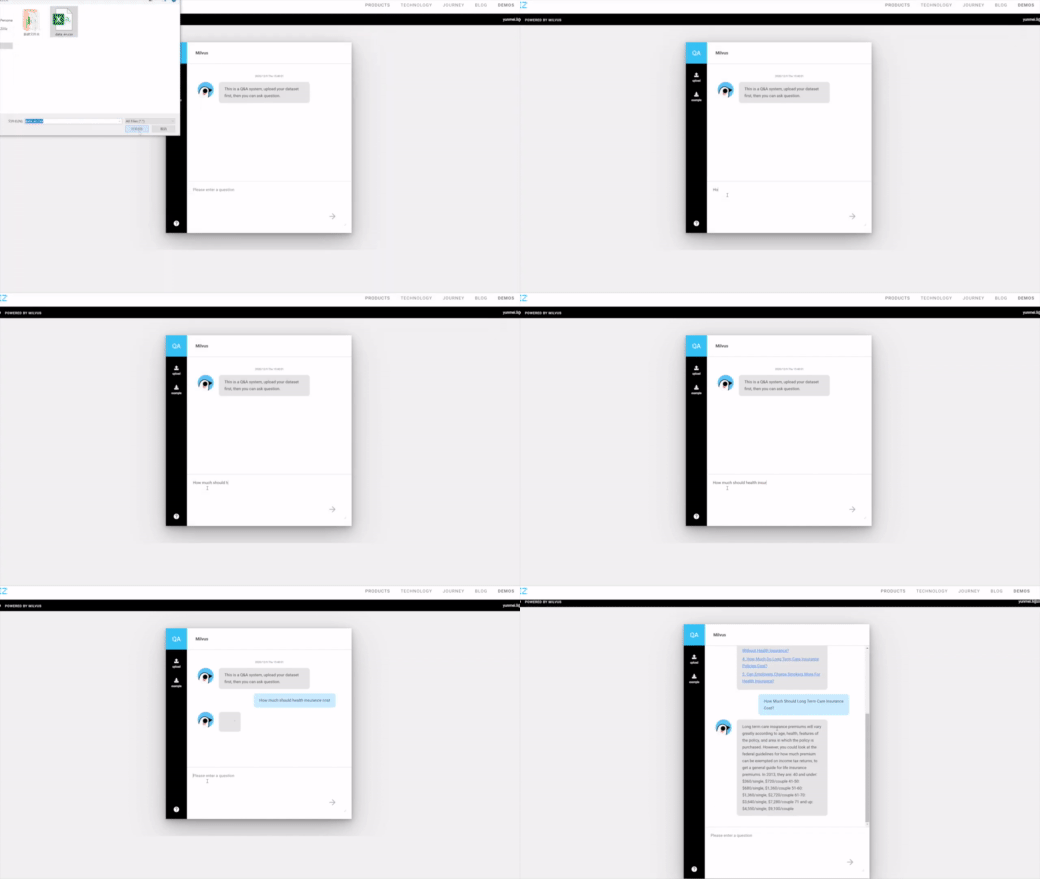
You can explore a comprehensive Tutorials Overview covering topics such as Retrieval-Augmented Generation (RAG), Semantic Search, Hybrid Search, Question Answering, Recommendation Systems, and various quick-start guides. These resources are designed to help you get started quickly and efficiently.
| Tutorial | Use Case | Related Milvus Features |
|---|---|---|
| Build RAG with Milvus | RAG | vector search |
| Advanced RAG Optimizations | RAG | vector search, full text search |
| Full Text Search with Milvus | Text Search | full text search |
| Hybrid Search with Milvus | Hybrid Search | hybrid search, multi vector, dense embedding, sparse embedding |
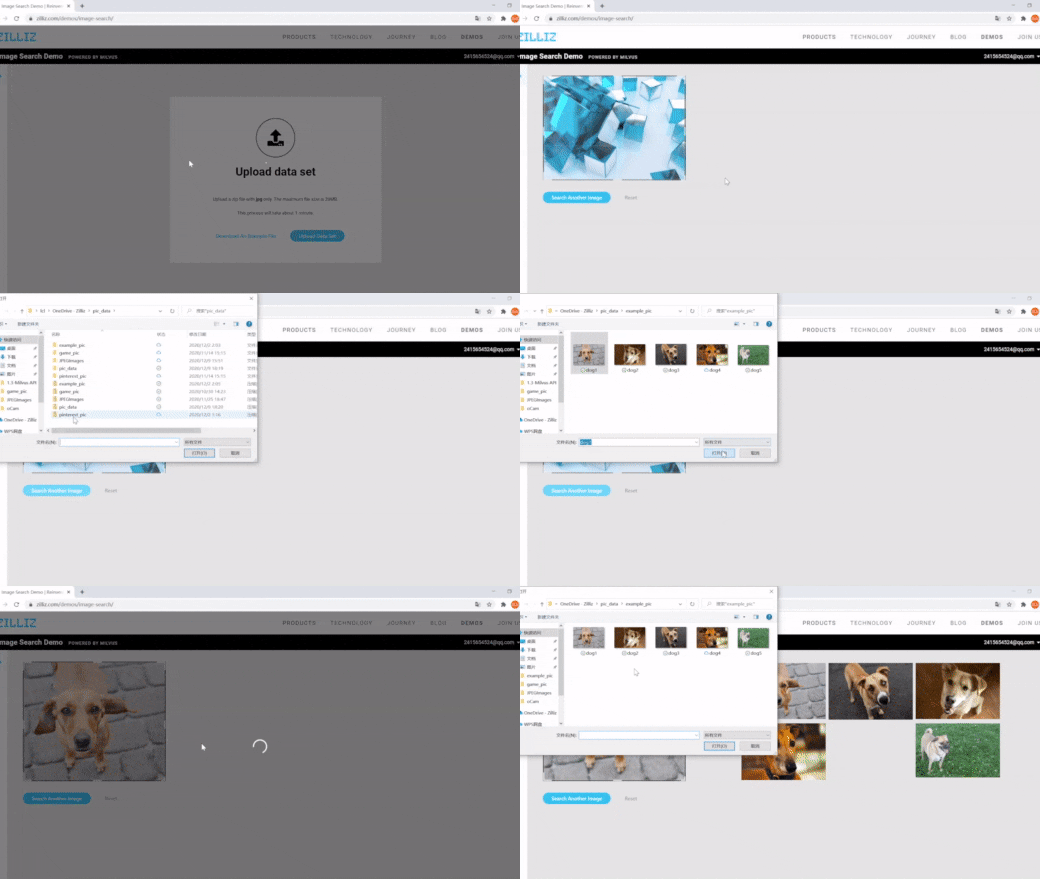
| Image Search with Milvus | Semantic Search | vector search, dynamic field |
| Multimodal Search using Multi Vectors | Semantic Search | multi vector, hybrid search |
| Movie Recommendation with Milvus | Recommendation System | vector search |
| Graph RAG with Milvus | RAG | graph search |
| Contextual Retrieval with Milvus | Quickstart | vector search |
| Vector Visualization | Quickstart | vector search |
| HDBSCAN Clustering with Milvus | Quickstart | vector search |
| Use ColPali for Multi-Modal Retrieval with Milvus | Quickstart | vector search |
|
|
|
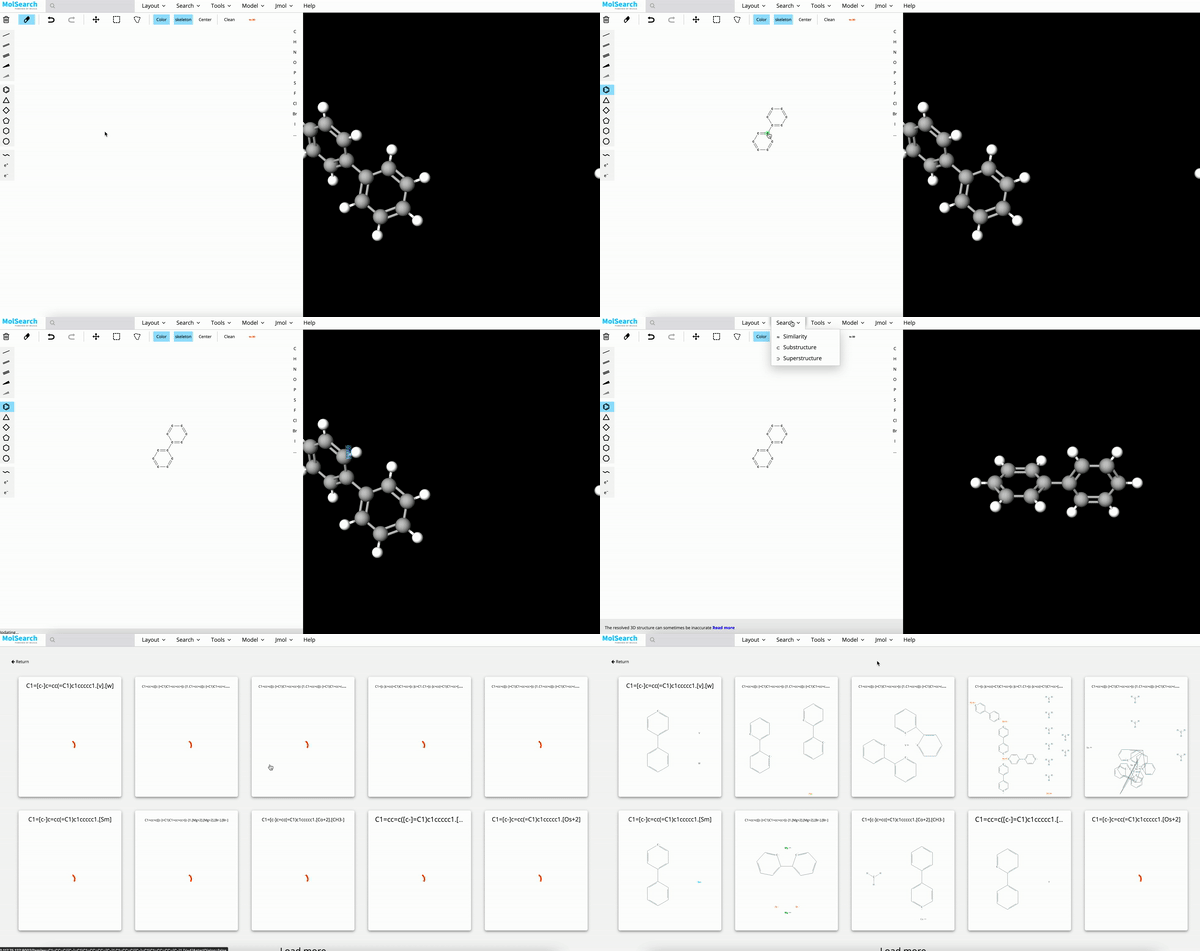
| Image Search | RAG | Drug Discovery |
|---|
Ecosystem and Integration
Milvus integrates with a comprehensive suite of AI development tools, such as LangChain, LlamaIndex, OpenAI and HuggingFace, making it an ideal vector store for GenAI applications such as Retrieval-Augmented Generation (RAG). Milvus works with both open-source embedding models and embedding service, in text, image and video modalities. Milvus also provides a convenient util pymilvus[model], users can use the simple wrapper code to transform unstructured data into vector embeddings and leverage reranking models for optimized search results. The Milvus ecosystem also includes Attu for GUI-based administration, Birdwatcher for system debugging, Prometheus/Grafana for monitoring, Milvus CDC for data synchronization, VTS for data migration and data connectors for Spark, Kafka, Fivetran, and Airbyte to build search pipelines.
Check out https://milvus.io/docs/integrations_overview.md for more details.
Documentation
For guidance on installation, usage, deployment, and administration, check out Milvus Docs. For technical milestones and enhancement proposals, check out issues on GitHub.
Contributing
The Milvus open-source project accepts contribution from everyone. See Guidelines for Contributing for details on submitting patches and the development workflow. See our community repository to learn about project governance and access more community resources.
Build Milvus from Source Code
Requirements:
-
Linux systems (Ubuntu 20.04 or later recommended):
go: >= 1.21 cmake: >= 3.26.4 gcc: 9.5 python: > 3.8 and <= 3.11 -
MacOS systems with x86_64 (Big Sur 11.5 or later recommended):
go: >= 1.21 cmake: >= 3.26.4 llvm: >= 15 python: > 3.8 and <= 3.11 -
MacOS systems with Apple Silicon (Monterey 12.0.1 or later recommended):
go: >= 1.21 (Arch=ARM64)
cmake: >= 3.26.4
llvm: >= 15
python: > 3.8 and  <= 3.11
Clone Milvus repo and build.
# Clone github repository.
$ git clone https://github.com/milvus-io/milvus.git

# Install third-party dependencies.
$ cd milvus/
$ ./scripts/install_deps.sh

# Compile Milvus.
$ make
For full instructions, see developer's documentation.
Community
Join the Milvus community on Discord to share your suggestions, advice, and questions with our engineering team.
To learn latest news about Milvus, follow us on social media:
You can also check out our FAQ page to discover solutions or answers to your issues or questions, and subscribe to Milvus mailing lists:
Reference
Reference to cite when you use Milvus in a research paper:
@inproceedings{2021milvus,
  title={Milvus: A Purpose-Built Vector Data Management System},
  author={Wang, Jianguo and Yi, Xiaomeng and Guo, Rentong and Jin, Hai and Xu, Peng and Li, Shengjun and Wang, Xiangyu and Guo, Xiangzhou and Li, Chengming and Xu, Xiaohai and others},
  booktitle={Proceedings of the 2021 International Conference on Management of Data},
  pages={2614--2627},
  year={2021}
}

@article{2022manu,
  title={Manu: a cloud native vector database management system},
  author={Guo, Rentong and Luan, Xiaofan and Xiang, Long and Yan, Xiao and Yi, Xiaomeng and Luo, Jigao and Cheng, Qianya and Xu, Weizhi and Luo, Jiarui and Liu, Frank and others},
  journal={Proceedings of the VLDB Endowment},
  volume={15},
  number={12},
  pages={3548--3561},
  year={2022},
  publisher={VLDB Endowment}
}